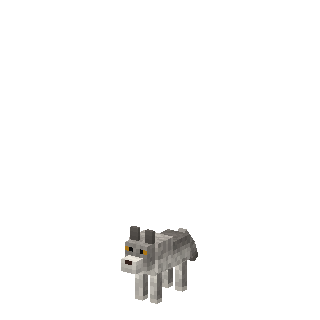
By day: a wolf
A grey wolf roaming forests and taigas. It hunts sheep and rabbits and leaves you alone – unless you hit it.
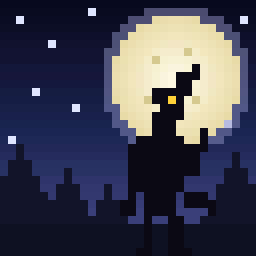
By day it is just a grey wolf in the forest. When the sun goes down it rises on two legs, four blocks tall, and goes hunting. Only silver can stop it.
Which one do I need? Playing on an iPad, iPhone, Android, Xbox, PlayStation, Switch or Minecraft for Windows? That is Bedrock Edition – take the first download. Playing on a computer with the Minecraft Java Edition launcher (Mac, Windows or Linux)? Take the Java download. Not sure? If you bought Minecraft in the App Store or Google Play, it is Bedrock.
Latest version: 0.1.0
Running a server? Use the separate behavior pack and resource pack. Xbox, PlayStation and Switch can’t import add-ons from files, but you can join a world or Realm that has the add-on.
On a server, replace the add-on’s folders in behavior_packs and resource_packs with the new ones and restart it.
Delete the old Werewolves jar from your mods folder and put the new one in its place. Keep only one version in the folder. If the new version needs a newer Fabric API or GeckoLib, update those too.
A grey wolf roaming forests and taigas. It hunts sheep and rabbits and leaves you alone – unless you hit it.
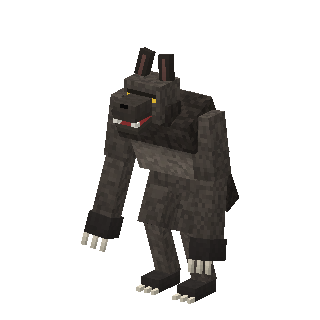
At dusk it howls and rises on two legs, four blocks tall. It hunts players and villagers, shrugs off half the damage from ordinary weapons, and is immune to falls. Iron golems fight it.
Craft a silver ingot from an iron ingot and an amethyst shard. Two ingots and a stick make a silver sword.
Deals triple damage to a werewolf in its beast form – the only weapon that really hurts it.
At sunrise the beast shrinks back into an ordinary wolf. Hide until morning, and it is easy prey.
On Peaceful difficulty werewolves never hunt players.
 Silver Ingot
 Silver Sword