Rockets

4 rockets for Minecraft Bedrock and Java Edition. Pump up a water bottle rocket, launch a model rocket, or climb into a rocket and fly to the edge of the sky, then parachute home.

Which one do I need? Playing on an iPad, iPhone, Android, Xbox, PlayStation, Switch or Minecraft for Windows? That is Bedrock Edition – take the first download. Playing on a computer with the Minecraft Java Edition launcher (Mac, Windows or Linux)? Take the Java download. Not sure? If you bought Minecraft in the App Store or Google Play, it is Bedrock.

Latest version: 0.1.0

Install

Install on iPad, phone, console or Windows (Bedrock)

  1. Download Rockets.mcaddon on your Windows PC, Android phone or tablet, or iPhone or iPad.
  2. Open the file. Minecraft starts and imports both packs.
  3. Create or edit a world. Under Behavior Packs, turn on Rockets. The resource pack is added automatically.
  4. Find the rockets in the creative inventory, or craft them. Place one and right-click (or tap) it.

Running a server? Use the separate behavior pack and resource pack. Xbox, PlayStation and Switch can’t import add-ons from files, but you can join a world or Realm that has the add-on.

Install on Mac or PC (Java Edition)

  1. Install Fabric Loader for Minecraft 26.3.
  2. Download Rockets-fabric.jar, plus Fabric API and GeckoLib.
  3. Put all three files in your mods folder and start Minecraft with the Fabric profile.
  4. Find the rockets in the Rockets creative tab, or craft them.

Upgrading to a new version

  1. Download the new version and open the file. A newer version replaces the one you have, and your worlds use it the next time you load them.
  2. Still running the old version? (or Minecraft says it is already installed): go to Settings → Storage, delete Rockets under both Resource Packs and Behavior Packs, then open the new file again.
  3. Check the world: in the world’s Edit screen, under Behavior Packs and Resource Packs, make sure Rockets is active. A world you imported or downloaded can carry its own old copy: deactivate it there, save, and activate the new one.

On a server, replace the add-on’s folders in behavior_packs and resource_packs with the new ones and restart it.

Java Edition: delete the old Rockets jar from your mods folder and put the new one in its place. Keep only one version in the folder. If the new version needs a newer Fabric API or GeckoLib, update those too.

The rockets

From a bottle you pump up by hand to a space rocket for four. Hover over (or tap) a rocket to see it fly.

Water Bottle Rocket

Water Bottle Rocket

Launch from the ground

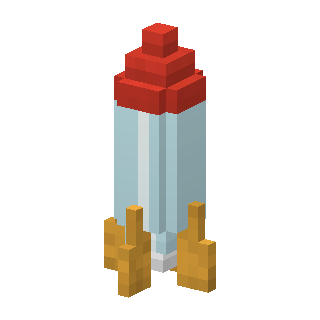
A plastic bottle with fins. Fill it with a water bucket, then right-click it with an empty hand to pump it up. Pump past full pressure and it shoots up in a spray of water. More pressure flies higher, and without water it barely leaves the ground.
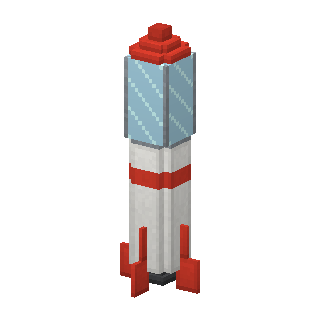
  • Flies up: 24 blocks at full pressure
  • Fuel: 1 × Water bucket
Model Rocket

Model Rocket

Launch from the ground

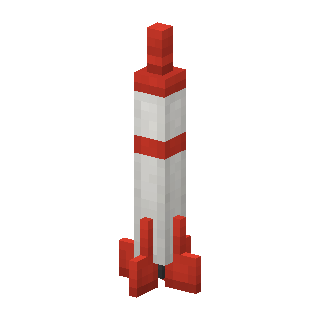
A model rocket with a gunpowder motor. Load it with gunpowder and light it with flint and steel: three seconds later it shoots 48 blocks up, pops its parachute and floats back down, ready to fly again.

  • Flies up: 48 blocks
  • Fuel: 1 × Gunpowder
Sky Rocket

Sky Rocket

Fly along

A rocket for one with a glass cockpit. Fill it with rocket fuel, climb in and press Jump: after a three-second countdown it flies you about a hundred blocks up. At the top you jump out with a parachute and float down, steering as you go.

  • Flies up: 96 blocks
  • Fuel: 1 × Rocket Fuel
  • Seats: 1
Space Rocket

Space Rocket

Fly along

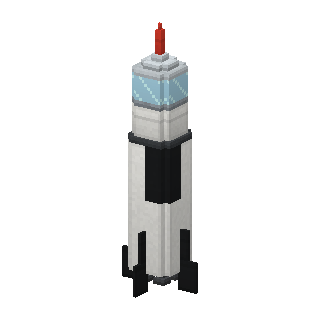
A big two-stage rocket with a capsule for four. Place it on a launch pad, load four rocket fuel and climb in. Press Jump (or start Mission Control) and it flies all the way to the edge of the sky. At the top everyone jumps out and parachutes home.

  • Flies up: to the edge of the sky
  • Fuel: 4 × Rocket Fuel
  • Seats: 4

How to fly

Water bottle rocket

Right-click with a water bucket to fill it, then right-click with an empty hand to pump. Pump once more at full pressure and it goes.

Model rocket

Load a gunpowder, then light it with flint and steel. Step back: three seconds.

Sky and space rocket

Load rocket fuel, climb in and press Jump (the space bar, or the jump button). The space rocket must stand on a launch pad.

Mission Control

Right-click it to count down from 10. Every fuelled rocket on a launch pad within 16 blocks lifts off at zero.

Coming down

At the top you jump out with a parachute. Steer with the movement keys; you land softly. Sneak out of a rocket in mid-air and the parachute opens too.

Jetpack

Wear it, jump, and hold Jump in the air. Use rocket fuel to fill it up.

Gear and blocks

Rocket Fuel

Fuel for the sky rocket, the space rocket and the jetpack. Right-click a rocket with it to load it, or use it while you wear a jetpack to top it up.

Jetpack

Wear it like a chestplate. Jump, then hold Jump in the air to fly up; you drift the way you look. The bar under it is the fuel. If you fall fast, the jetpack catches you so you land softly.

Rocket Boost

A one-shot boost: use it to be thrown up and forward the way you look, even harder while gliding with elytra. You float down gently afterwards.

Launch Pad

Rockets stand on it. The space rocket only lifts off from a launch pad, and Mission Control launches the rockets on pads nearby.

Mission Control

Right-click it to count down from 10 and launch every fuelled rocket on a launch pad within 16 blocks. Right-click again to abort.

More than fireworks

Real flights

Rockets speed up, cut their engines and coast to the top, with flames, smoke and a roar. The space rocket goes all the way to the build limit.

Countdowns

Mission Control counts down on everyone’s screen nearby, beeping each second, and launches all the rockets on the pads at once.

Safe landings

Riders always come down under a parachute and never take fall damage. The rockets parachute down too, ready for the next flight.

Fun for everyone

Water bottle rockets need no fuel at all, just water and a lot of pumping. Great for a first rocket.