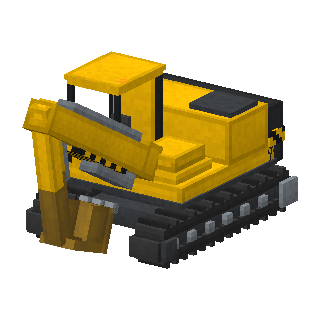
Excavator
Earthmovers
A tracked excavator with a cab that turns all the way round. Swing the boom, stick and bucket to dig real blocks, then dump them on a pile or into a dump truck.
Load: 4 blocks · Seats: 1
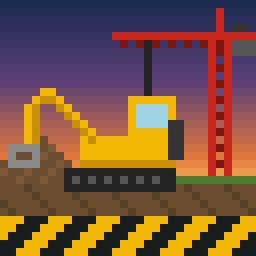
12 big machines for Minecraft Bedrock and Java Edition. Drive them, then work them: dig real holes, load dump trucks, level the ground and lift blocks, animals and other machines with cranes.
Which one do I need? Playing on an iPad, iPhone, Android, Xbox, PlayStation, Switch or Minecraft for Windows? That is Bedrock Edition – take the first download. Playing on a computer with the Minecraft Java Edition launcher (Mac, Windows or Linux)? Take the Java download. Not sure? If you bought Minecraft in the App Store or Google Play, it is Bedrock.
Latest version: 0.1.1
Running a server? Use the separate behavior pack and resource pack. Xbox, PlayStation and Switch can’t import add-ons from files, but you can join a world or Realm that has the add-on.
On a server, replace the add-on’s folders in behavior_packs and resource_packs with the new ones and restart it.
Delete the old Construction Machines jar from your mods folder and put the new one in its place. Keep only one version in the folder. If the new version needs a newer Fabric API or GeckoLib, update those too.
Every machine has its own model and moving parts. Climb in to drive it, then work its boom, bucket, blade or hook.
Earthmovers
A tracked excavator with a cab that turns all the way round. Swing the boom, stick and bucket to dig real blocks, then dump them on a pile or into a dump truck.
Load: 4 blocks · Seats: 1
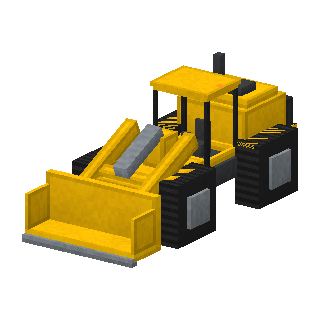
Earthmovers
An articulated wheel loader with a wide bucket. Lower the bucket and drive into a pile to scoop it up, then lift it and dump it into a dump truck.
Load: 6 blocks · Seats: 1
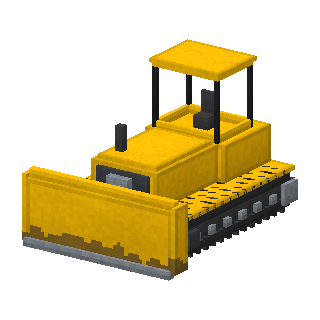
Earthmovers
A heavy crawler bulldozer. Set the blade and drive: it cuts away hills and fills holes, leaving the ground flat. Lower the blade below the tracks to dig down a level.
Load: 8 blocks · Seats: 1
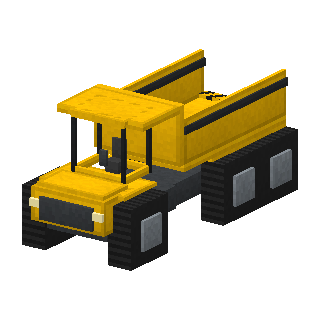
Earthmovers
An articulated dump truck with a huge bed. Let the excavator or wheel loader fill it, drive the load away and tip the bed to pour it out behind you.
Load: 24 blocks · Seats: 2
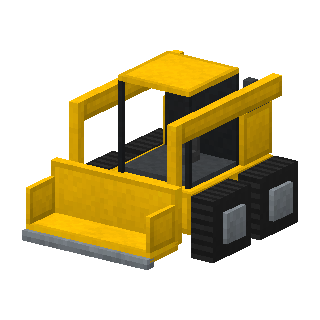
Earthmovers
A small, nimble skid steer loader that turns on the spot. Great for tidying up a building site and light enough for any crane to lift.
Load: 2 blocks · Seats: 1
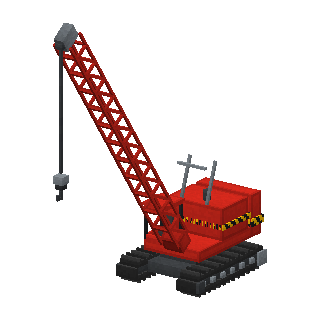
Cranes
A heavy crane on crawler tracks with a tall lattice boom. Raise the boom, lower the hook onto a block, an animal or another machine, and lift it.
Lifts: 60 · Seats: 1
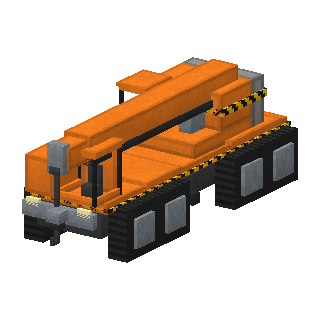
Cranes
A mobile crane on wheels with a telescopic boom that slides out. Drive it to the job, raise and extend the boom and lift.
Lifts: 40 · Seats: 2
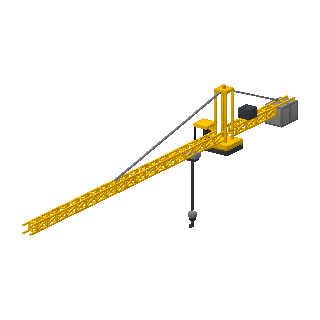
Tower crane
A tall tower crane on a mast of crane mast blocks. Swing the jib, run the trolley out and hoist the load up. Build it with the Tower Crane Kit, then right-click the mast to ride up into the cab.
Lifts: 30 · Seats: 1
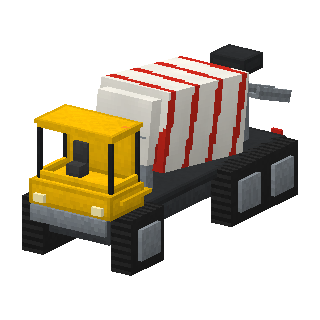
More machines
A concrete mixer truck. Fill the drum with sand or gravel, then pour concrete from the chute. Right-click it with a dye to choose the colour.
Load: 12 blocks · Seats: 2
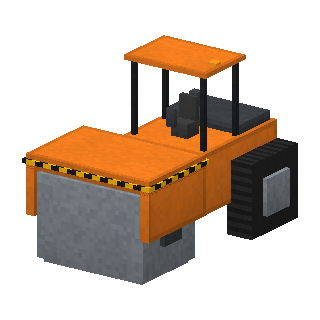
More machines
A road roller. Drive it over the ground to press grass and dirt into paths and smooth out small bumps.
Load: 4 blocks · Seats: 1
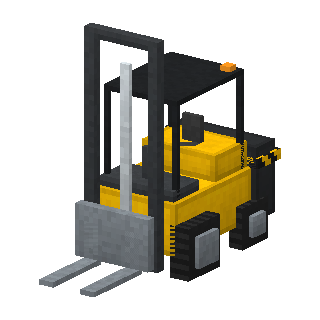
More machines
A forklift for moving one block at a time: crates, logs, bricks and other building materials. Slide the forks under a block, lift it and set it down somewhere else.
Seats: 1
More machines
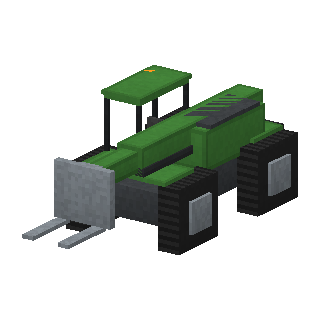
A telehandler with a long telescopic boom and forks. It lifts blocks high up and far out, so you can put building materials on a roof.
Seats: 1
Every machine drives like a horse or a boat: W/S and A/D (or the joystick). Its working parts have their own controls.
| ← → | first control (slew, lift arms, blade …) |
| ↑ ↓ | second control (boom, tilt …) |
| I K | third control |
| U J | fourth control |
| G | Action: dig, dump, hook on, pick up … |
| H | show or hide the control panel |
All keys can be changed under Options → Controls → Key Binds → Construction Machines.
| Slot 1 | Drive: move and steer as usual. |
| Slot 2 | Arm: left/right works the first control, forward/back the second. |
| Slot 3 | Tool: left/right works the fourth control, forward/back the third. |
| Jump | Action: dig, dump, hook on, pick up … |
| Sneak | Climb out. |
Pick a mode by selecting a hotbar slot (scroll, number keys or tap). The bar above the hotbar shows what each control does.
Excavators, wheel loaders and skid steers scoop up soil, sand, gravel and rock, and dump it on a pile or into a truck.
Fill a dump truck, drive it somewhere else and tip the load out behind it.
Set the bulldozer blade and drive over the hills: it leaves the ground level. The road roller packs grass into paths.
Crawler, mobile and tower cranes lift blocks, animals and even other machines. Watch the load limit.
Build a mast 12, 20 or 32 blocks tall with the kit, climb into the cab and swing the jib over your building site.
Machines never break bedrock, obsidian, chests or other blocks with things inside. Servers can turn terrain editing off.
 Excavator
 Wheel Loader
 Bulldozer
 Dump Truck
 Skid Steer
 Crawler Crane
 Mobile Crane
 Tower Crane Kit
 Concrete Mixer Truck
 Road Roller
 Forklift
 Telehandler
 Machine Manual
 Crane Mast