Flights

8 aircraft for Minecraft Bedrock and Java Edition, from a paraglider and a hot-air balloon to a glider, a light aircraft, a seaplane that lands on water and a business jet, plus a gyrocopter and a helicopter. Take off, ride the thermals – and if it goes wrong, bail out with your parachute.

Which one do I need? Playing on an iPad, iPhone, Android, Xbox, PlayStation, Switch or Minecraft for Windows? That is Bedrock Edition – take the first download. Playing on a computer with the Minecraft Java Edition launcher (Mac, Windows or Linux)? Take the Java download. Not sure? If you bought Minecraft in the App Store or Google Play, it is Bedrock.

Latest version: 0.2.0

Install

Install on iPad, phone, console or Windows (Bedrock)

  1. Download Flights.mcaddon on your Windows PC, Android phone or tablet, or iPhone or iPad.
  2. Open the file. Minecraft starts and imports both packs.
  3. Create or edit a world. Under Behavior Packs, turn on Flights. The resource pack is added automatically.
  4. Find the aircraft in the creative inventory, or craft them. Use one on the ground to place it, then right-click it to climb in.

Running a server? Use the separate behavior pack and resource pack. Xbox, PlayStation and Switch can’t import add-ons from files, but you can join a world or Realm that has the add-on.

Install on Mac or PC (Java Edition)

  1. Install Fabric Loader for Minecraft 26.3.
  2. Download Flights-fabric.jar, plus Fabric API and GeckoLib.
  3. Put all three files in your mods folder and start Minecraft with the Fabric profile.
  4. Find the aircraft in the Flights creative tab, or craft them. Use one on the ground to place it, then right-click it to climb in.

Upgrading to a new version

  1. Download the new version and open the file. A newer version replaces the one you have, and your worlds use it the next time you load them.
  2. Still running the old version? (or Minecraft says it is already installed): go to Settings → Storage, delete Flights under both Resource Packs and Behavior Packs, then open the new file again.
  3. Check the world: in the world’s Edit screen, under Behavior Packs and Resource Packs, make sure Flights is active. A world you imported or downloaded can carry its own old copy: deactivate it there, save, and activate the new one.

On a server, replace the add-on’s folders in behavior_packs and resource_packs with the new ones and restart it.

Delete the old Flights jar from your mods folder and put the new one in its place. Keep only one version in the folder. If the new version needs a newer Fabric API or GeckoLib, update those too.

The aircraft

Every one flies its own way. Hover or tap a picture to see it in the air.

Show:
Paraglider
Without an engine

Paraglider

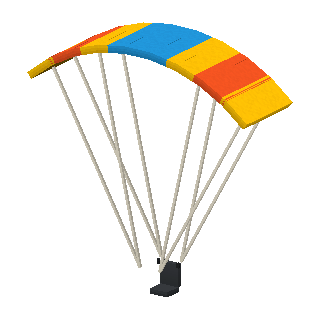
A fabric wing and a harness. Hold W to run off a slope and glide down in long turns. Find rising air over campfires, lava and sand to climb again.

Seats
1
Glide ratio
1 : 8
Ceiling
y 280
Hot-Air Balloon
Without an engine

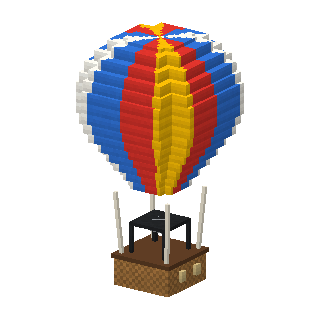
Hot-Air Balloon

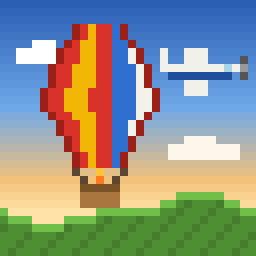
A big balloon with a basket for four. W fires the burner, S opens the vent, and when you let go it holds its height. It drifts with the wind, so steer by finding another wind higher or lower. Jump drops the anchor.

Seats
4
Ceiling
y 300
Glider
Without an engine

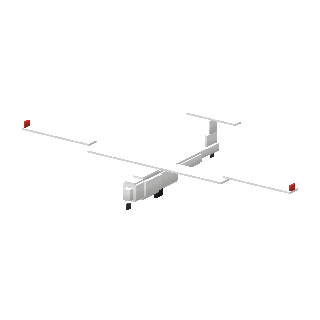
Glider

A two-seat sailplane with long wings. Jump on the ground for a winch launch up to about 40 blocks, then glide 30 blocks for every block it sinks. Thermals over campfires, lava and sand carry it back up.

Seats
2
Glide ratio
1 : 30
Ceiling
y 320
Light Aircraft
Planes

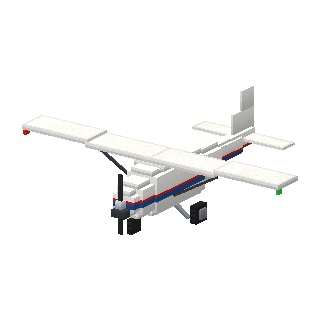
Light Aircraft

A four-seat high-wing propeller plane, like a Cessna 172. Open the throttle with W, roll down the runway and look up to lift off. Look where you want to go (or bank with A and D) to turn, close the throttle with S and hold S on the ground to brake.

Seats
4
Top speed
158 km/h
Take-off run
36 blocks
Ceiling
y 300
Seaplane
Planes

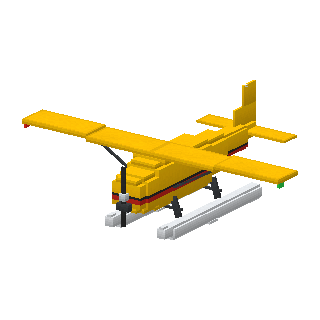
Seaplane

A six-seat bush plane on floats. It takes off from and lands on water as well as on the ground: open the throttle with W, run across the lake and look up to lift off. Look where you want to turn, and touch down gently on the water.

Seats
6
Top speed
144 km/h
Take-off run
30 blocks
Ceiling
y 280
Business Jet
Planes

Business Jet

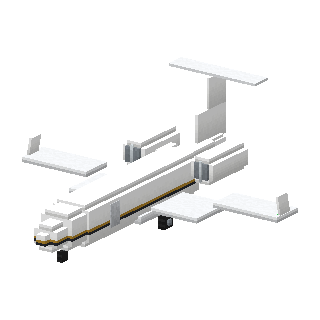
A fast jet for six. It needs a long runway, but flies twice as fast and high as the light aircraft. Throttle with W and S, look up to rotate, and look where you want to turn.

Seats
6
Top speed
288 km/h
Take-off run
68 blocks
Ceiling
y 380
Gyrocopter
Rotorcraft

Gyrocopter

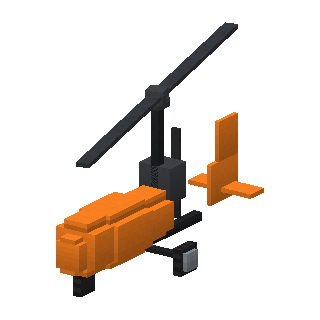
An open two-seater with a free-spinning rotor and a pusher propeller. It takes off after a short run, can’t stall, and sinks slowly on its spinning rotor if it runs out of speed. Throttle with W and S, look up to climb and look where you want to turn.

Seats
2
Top speed
108 km/h
Take-off run
16 blocks
Ceiling
y 250
Helicopter
Rotorcraft

Helicopter

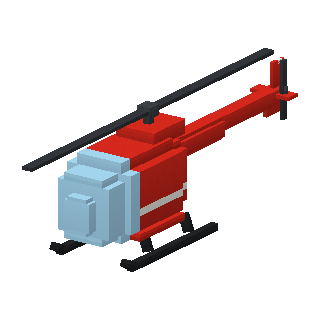
A four-seat light helicopter. Wait for the rotor to spin up, jump to climb, and fly where you look. A and D fly sideways, and when you let go of everything it hovers.

Seats
4
Top speed
130 km/h
Ceiling
y 300

How to fly

Right-click an aircraft to climb in. The first seat flies it; the others are for passengers. Sneak (Shift) to get out – in the air that means bailing out.

BedrockJava Edition
Light aircraft, seaplane and business jetW/S: throttle · look up or down to climb or dive · turn by looking (or A/D) · S on the ground: brakes · Sneak: get out (in the air: bail out)W/S: throttle · look up or down to climb or dive · turn by looking (or A/D) · S on the ground: brakes · Shift: get out (in the air: bail out)
GliderJump on the ground: winch launch · look up or down: pitch · turn by looking (or A/D) · find rising air over campfires, lava and sandJump on the ground: winch launch · look up or down: pitch · turn by looking (or A/D) · find rising air over campfires, lava and sand
ParagliderHold W to run off a slope · in the air W: speed bar, S: brakes · turn by looking (or A/D) · rising air over campfires, lava and sandHold W to run off a slope · in the air W: speed bar, S: brakes · turn by looking (or A/D) · rising air over campfires, lava and sand
Hot-air balloonW: burner (up) · S: vent (down) · let go: hold height · Jump: anchor · A/D: turn the basket · steer by finding another wind higher or lowerW: burner (up) · S: vent (down) · let go: hold height · Space: anchor · A/D: turn the basket · steer by finding another wind higher or lower
HelicopterWait for the rotor · W: fly where you look (look down to descend) · S: back · A/D: sideways · Jump: climbWait for the rotor · W: fly where you look · S: back · A/D: sideways · Space: climb · V: descend
GyrocopterFlies like the light aircraft, but takes off after a short run, can’t stall and comes down slowly on its spinning rotor if you lose speed.

More to know

Parachutes

Carry a parachute (wool and string) anywhere in your inventory. Bail out with sneak, and it opens after a moment, or straight away when you jump. Steer it with the movement keys. When you land it is packed away again.

Rising air

Gliders, paragliders and balloons climb in thermals: warm air rising over campfires, lava, and sand and red sand in the daytime.

Wind

The wind turns with height. A balloon can’t steer, so climb or sink until the wind takes you where you want to go – and drop the anchor to stay there.

Hunting from the balloon

With the Realistic Hunting add-on you can hunt from the basket: anchor the balloon, and your shots fly through the basket. Sneak zooms the scope instead of getting you out while you hold a rifle.

Landing

Touch down gently: on the ground, or on water in the seaplane. Hitting the ground or a wall too fast damages the aircraft, and an aircraft with nobody at the controls glides or sinks down by itself.

Breaking and moving

Hit an aircraft a few times to get it back as an item, like a boat. In creative, one hit does it.

New items